AI Agents for Business Websites in 2026: Use Cases, Architecture, Security and Implementation
Most business websites still behave like digital brochures. They explain services, display a portfolio and collect a form submission, but the visitor must wait for a person to respond. AI agents are changing that model. A properly designed agent can understand a request, ask follow-up questions, access approved business systems and complete a controlled task such as checking availability, creating a qualified lead or preparing a support response.
This does not mean every website needs a fully autonomous system. The strongest implementations start with a narrow, measurable workflow and clear boundaries. They combine AI reasoning with structured tools, business rules, security controls and human approval for sensitive actions.
This guide explains what AI agents are, where they create value, how they differ from conventional chatbots and how to implement them responsibly on a business website.
What Is an AI Agent?
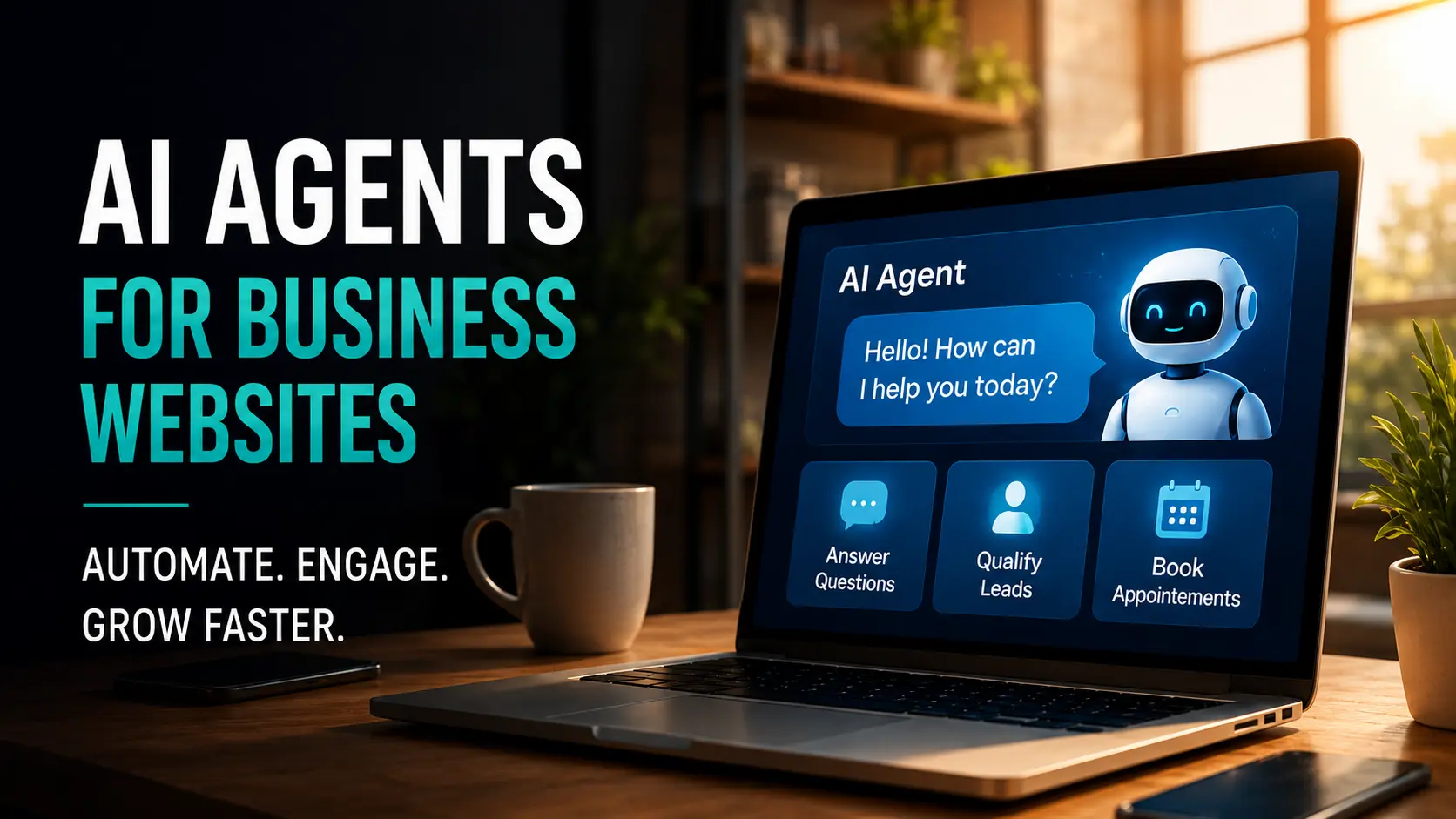
An AI agent is a software system that can interpret a goal, decide what steps are required, use approved tools and return a result. Unlike a basic chatbot that only generates text, an agent may interact with a CRM, calendar, knowledge base, order system, email platform or internal database.
A website agent might receive the request, “I need a consultation next week for a new e-commerce website.” It can then:
- Ask about budget, timeline and required features.
- Check the agency’s available consultation slots.
- Create or update the lead in the CRM.
- Offer suitable appointment times.
- Send a confirmation after the visitor approves.
- Escalate unusual requirements to a human specialist.
The agent is valuable because it connects conversation with action.
AI Agent Versus Chatbot: What Is the Difference?
Rule-Based Chatbot
A rule-based chatbot follows predefined menus or decision trees. It is predictable but limited. It works well for simple navigation, opening hours and fixed FAQs.
Generative AI Chatbot
A generative chatbot can respond naturally using a knowledge base or provided context. It is more flexible, but it may still only answer questions without changing anything in business systems.
AI Agent
An AI agent can decide which approved tool to use and complete a multi-step workflow. It may retrieve data, update records, schedule an appointment or create a task. This power also creates higher security and reliability requirements.
High-Value AI Agent Use Cases for Business Websites
1. Lead Qualification
A lead qualification agent can collect structured information before the sales team becomes involved. For a web agency, it may ask about company type, project goals, current website, expected pages, integrations, timeline and budget range.
The agent should not interrogate the visitor. Use progressive questions, explain why information is needed and offer an immediate human handoff. The result should be a useful lead summary, not merely a chat transcript.
Key metrics include completion rate, qualified-lead rate, booked consultations and sales response time.
2. Appointment Scheduling
An appointment agent can check a connected calendar, apply scheduling rules and offer available time slots. It can reduce back-and-forth messages while preventing conflicts.
Important controls include working hours, buffer times, appointment duration, time zones, cancellation rules and approval requirements for special bookings.
3. Customer Support Triage
A support agent can classify an issue, search approved documentation, provide a relevant answer and create a ticket when needed. It should detect urgent or sensitive categories and escalate them immediately.
Useful functions include:
- Identifying the product or service involved
- Collecting screenshots or error details
- Suggesting verified troubleshooting steps
- Checking ticket status
- Routing the case to the correct team
- Summarizing the conversation for the human agent
4. E-Commerce Product Guidance
An agent can help users narrow choices based on requirements rather than forcing them to browse dozens of filters. It can compare products, explain trade-offs, check stock and prepare a cart.
Product recommendations should be grounded in current catalog data. The system must not invent availability, specifications, prices or delivery promises.
5. Client Onboarding
After a sale, an onboarding agent can collect brand assets, project requirements, access details and stakeholder information. It can identify missing items and guide the client through the next step.
For agencies, this can reduce delays caused by incomplete briefs. The workflow should keep passwords and sensitive credentials out of ordinary chat fields and direct users to secure collection methods.
6. Quote Preparation
An agent can gather requirements and prepare an indicative estimate based on approved pricing logic. For complex services, the result should be labeled as preliminary and reviewed by a person before becoming a binding proposal.
7. Internal Knowledge Assistance
The same agent infrastructure can support employees. A private internal assistant may retrieve policies, summarize project information, draft standard responses or help staff find approved documents.
Internal agents often create value faster because the audience is smaller, access can be controlled and workflows are easier to test before exposing them publicly.
The Core Architecture of a Website AI Agent
User Interface
The interface may be a website chat, guided form, voice interface or embedded assistant. It should make the agent’s capabilities and limitations clear. Users should always know when they are interacting with AI.
Model and Instructions
The model interprets the request and produces the next action. System instructions define the agent’s role, tone, boundaries, escalation rules and prohibited actions.
Tools and Integrations
Tools allow the agent to do useful work. Examples include:
- CRM search and record creation
- Calendar availability and booking
- Help-desk ticket creation
- Product catalog lookup
- Order status retrieval
- Email or SMS notification
- Secure document search
Each tool should expose only the minimum functionality required for the use case.
Knowledge Layer
The knowledge layer contains approved content such as FAQs, policies, service information, product documentation and internal procedures. Retrieval should use current, version-controlled information rather than uncontrolled web content.
State and Memory
Short-term state keeps track of the current conversation. Longer-term memory may store user preferences or account context, but it requires consent, retention rules and a clear business purpose.
Observability and Evaluation
Every production agent needs logs, error tracking and quality evaluation. Teams should be able to review which tools were used, where the workflow failed and whether the final answer was supported by the available data.
Security and Governance Requirements
Apply Least-Privilege Access
An appointment agent should not have permission to export the entire customer database. Give each tool the smallest possible scope and separate read actions from write actions.
Require Confirmation for Important Actions
Before sending an email, placing an order, changing account information or booking a paid service, show the user exactly what will happen and request confirmation.
Protect Against Prompt Injection
Agents can encounter malicious instructions in user input, documents or web content. Treat external content as data, not authority. Restrict tools, validate arguments and avoid allowing retrieved text to redefine system rules.
Keep Humans in the Loop
Sensitive, high-value or ambiguous cases should be reviewed by a person. Human escalation is not a failure; it is part of a responsible service design.
Minimize Personal Data
Collect only information required for the workflow. Define retention periods, protect stored data and avoid placing confidential details into unnecessary logs.
Provide Auditability
For every important action, record what the agent attempted, which tool was used, what inputs were supplied and whether the user confirmed the action.
How to Choose the First AI Agent Project
Choose a workflow that is repetitive, rules-based and measurable. Good first projects have:
- A clear start and end
- Reliable data sources
- Limited action permissions
- High message volume or staff effort
- A safe fallback to a human
- A measurable business outcome
Poor first projects include open-ended legal advice, unrestricted financial decisions, fully autonomous refunds or access to large amounts of sensitive data.
Build Versus Buy
Use an Existing Platform When
- The workflow is standard, such as basic support or scheduling.
- Speed is more important than deep customization.
- Existing integrations already cover your systems.
- Your team does not need ownership of the full orchestration layer.
Build a Custom Agent When
- The workflow is unique to your business.
- The agent must connect several internal systems.
- You require custom permissions, branding or analytics.
- Data must remain within a controlled architecture.
- The agent is becoming a strategic product capability.
A hybrid approach is common: use proven models and infrastructure while building the interface, business logic, tools and governance around your specific process.
A Practical Implementation Roadmap
Phase 1: Discovery
Document the current workflow from beginning to end. Identify decision points, data sources, exceptions, risks and the human owner. Establish a baseline for time, cost, conversion rate or support volume.
Phase 2: Prototype
Build a narrow prototype using test data and read-only tools. Create representative conversations, including difficult and adversarial cases. Validate that the agent knows when to stop and escalate.
Phase 3: Controlled Pilot
Release the agent to a small audience or a limited percentage of website visitors. Monitor errors, unsupported answers, tool failures and user abandonment. Keep a visible human-contact option.
Phase 4: Production Deployment
Introduce write actions only after the read-only workflow is reliable. Add confirmations, rate limits, monitoring, incident procedures and clear ownership.
Phase 5: Continuous Evaluation
Review real conversations and business outcomes. Update the knowledge base, instructions and tool constraints. Test changes before deployment and maintain version history.
Metrics That Matter
Avoid measuring success only by the number of chats. Track:
- Qualified leads generated
- Appointments completed
- First-response time
- Support resolution rate
- Escalation rate
- Tool error rate
- User satisfaction
- Conversion rate
- Average staff time saved
- Revenue influenced
A high automation rate is not always desirable. The objective is a better customer outcome with lower operational friction.
Common AI Agent Mistakes
Starting With a Broad “Do Everything” Agent
Broad agents are harder to secure, evaluate and improve. Start with one workflow and expand after it performs reliably.
Connecting Unclean Business Data
An agent cannot compensate for outdated service information, inconsistent product records or duplicate CRM data. Improve the source systems first.
Removing the Human Contact Option
Some users prefer a person, and some cases require one. Make escalation fast and preserve the conversation context.
Automating Actions Without Confirmation
Unconfirmed bookings, messages or account changes create avoidable risk. Confirmation screens should be part of the workflow design.
Ignoring Ongoing Maintenance
Agent quality changes when business rules, integrations, products or policies change. Assign a responsible owner and review performance continuously.
Conclusion
AI agents can turn a website from a passive marketing channel into an active service and operations layer. The greatest value comes from connecting natural conversation with a clearly defined business workflow.
Successful implementation depends less on creating a clever demo and more on disciplined architecture: reliable data, limited tools, explicit permissions, human escalation, monitoring and continuous evaluation. Start small, measure the outcome and expand only when the agent is trustworthy.