Core Web Vitals Optimization Guide 2026: Improve LCP, INP and CLS
A website can look impressive and still feel slow. Visitors notice when the main content takes too long to appear, buttons respond late or page elements jump while they are trying to read. Core Web Vitals convert these frustrating experiences into measurable performance signals.
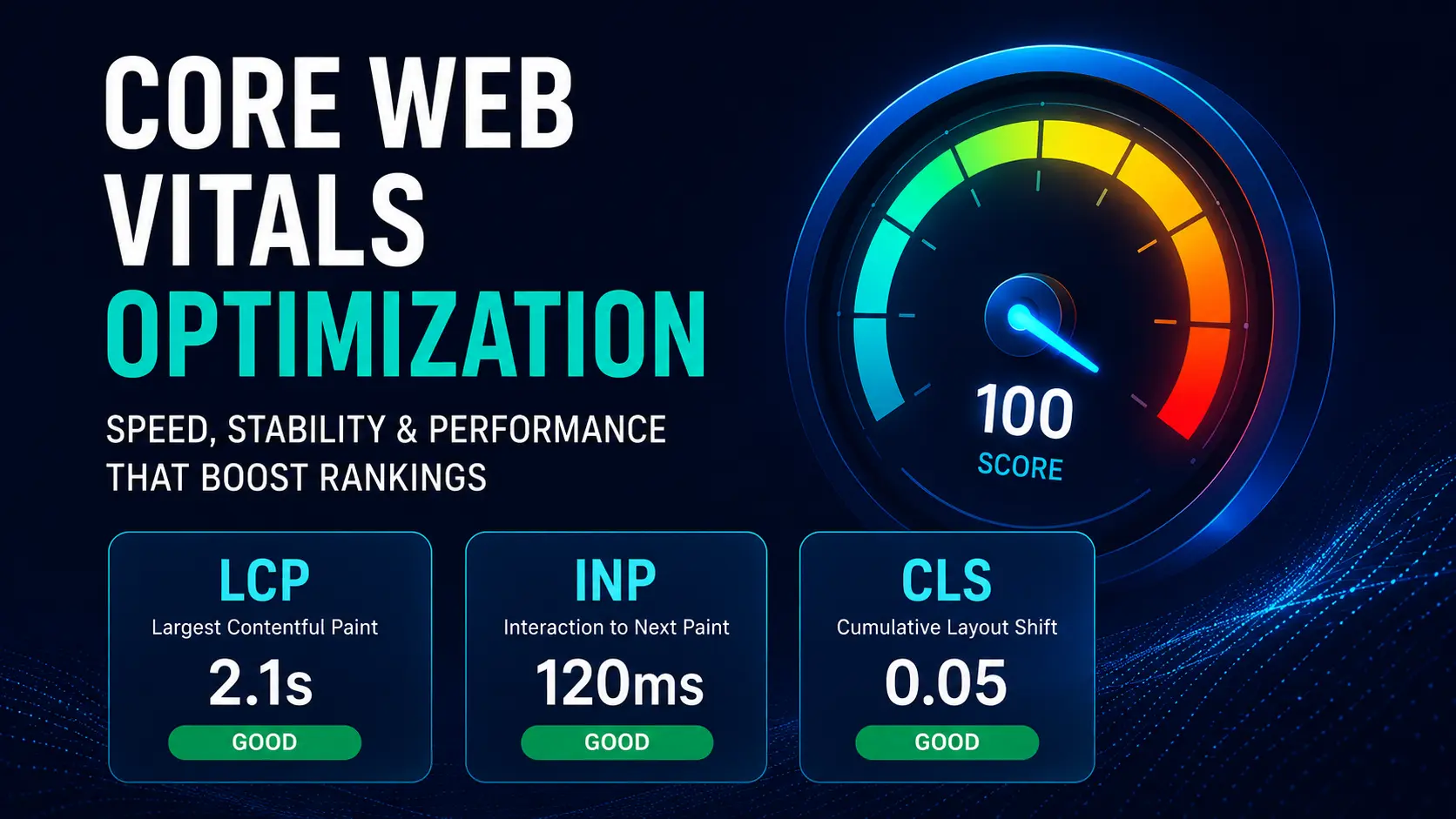
The three current Core Web Vitals are Largest Contentful Paint (LCP), Interaction to Next Paint (INP) and Cumulative Layout Shift (CLS). Together, they measure loading performance, responsiveness and visual stability. Google recommends achieving good Core Web Vitals for user experience and Search, while also making clear that strong scores alone do not guarantee top rankings.
This guide explains the metrics, the recommended thresholds and the practical development work required to improve them.
What Are Core Web Vitals?
Core Web Vitals are field-based metrics designed to reflect how real users experience a web page. They are evaluated at the 75th percentile, which means a page should provide a good experience for at least 75 percent of visits across the relevant device category.
Largest Contentful Paint (LCP)
LCP measures how quickly the largest visible content element renders within the viewport. This is often a hero image, large heading, banner or prominent content block.
A good LCP is 2.5 seconds or less. Between 2.5 and 4 seconds needs improvement, while more than 4 seconds is poor.
Interaction to Next Paint (INP)
INP measures how quickly a page visually responds after user interactions such as clicks, taps and keyboard input. It examines interactions during the page visit and reports a representative slow interaction.
A good INP is 200 milliseconds or less. Between 200 and 500 milliseconds needs improvement, while more than 500 milliseconds is poor.
Cumulative Layout Shift (CLS)
CLS measures unexpected movement of visible page elements. A high score may occur when an image loads without reserved space, a banner appears above existing content or a font change moves text after the page has started rendering.
A good CLS is 0.1 or less. Between 0.1 and 0.25 needs improvement, while more than 0.25 is poor.
Why Core Web Vitals Matter for Business
Performance is not only a technical issue. It affects the complete customer journey.
A slow hero section delays the value proposition. A lagging form creates uncertainty about whether the submission worked. A moving call-to-action can cause accidental clicks. On mobile networks and lower-powered devices, these problems become more severe.
Improving Core Web Vitals can support:
- Faster access to important content
- Smoother navigation and forms
- Better mobile usability
- Lower abandonment during key actions
- More consistent conversion experiences
- Stronger technical foundations for SEO
The correct goal is not to chase a perfect laboratory score. It is to improve real-user experience on the pages that matter most.
Field Data Versus Lab Data
Field Data
Field data comes from real users and reflects actual devices, networks, locations and behavior. Search Console’s Core Web Vitals report groups similar URLs and uses real-world usage data where sufficient information is available.
Lab Data
Lab tools test a page in a controlled environment. They are useful for diagnosis, regression testing and development, but they cannot reproduce every real visitor condition.
Use both. Field data tells you whether users have a problem. Lab data helps you identify why it is happening.
How to Audit Core Web Vitals
Step 1: Review Search Console
Open the Core Web Vitals report and identify poor or needs-improvement URL groups. Separate mobile and desktop issues. Start with templates affecting many pages, such as service pages, blog posts or product pages.
Step 2: Test Representative Pages
Test several URLs from each group using PageSpeed Insights or Chrome DevTools. Do not assume that one page represents the entire site.
Step 3: Identify the Actual LCP Element
The LCP element may change by device or page state. Confirm whether it is an image, background image, heading or another block before optimizing.
Step 4: Profile Interactions
Use performance tools to reproduce slow clicks, menu openings, filter changes or form actions. Identify long tasks, excessive JavaScript and rendering work.
Step 5: Observe Layout Shifts
Use browser developer tools or recorded sessions to find elements that move. Pay special attention to images, ads, cookie banners, carousels, web fonts and dynamically inserted content.
How to Improve Largest Contentful Paint
Improve Server Response Time
A page cannot render quickly if the server is slow. Review hosting resources, database queries, cache configuration, application performance and geographic distance from users.
Use full-page caching where appropriate and a content delivery network for global audiences. Dynamic websites should cache expensive operations and avoid unnecessary server work for anonymous visitors.
Prioritize the Hero Image
The primary above-the-fold image should be available early. Common problems include lazy-loading the LCP image, loading it through JavaScript or using an oversized file.
Recommended actions include:
- Do not lazy-load the main hero image.
- Use responsive image sizes.
- Compress the image appropriately.
- Use modern formats where compatible.
- Preload the critical image when justified.
- Include explicit width and height.
- Avoid massive background images when a semantic image element is more efficient.
Remove Render-Blocking Resources
Large stylesheets, font files and synchronous scripts can delay rendering. Inline only genuinely critical CSS, defer nonessential scripts and split large bundles when possible.
Optimize Fonts
Host only the font files and weights actually used. Preload critical fonts carefully, use an appropriate font-display strategy and provide a compatible fallback stack to reduce invisible text and layout movement.
Reduce Client-Side Rendering Delays
If essential content appears only after a large JavaScript application initializes, users may wait even when the HTML arrives quickly. Server rendering, static generation or progressive enhancement can make primary content available earlier.
How to Improve Interaction to Next Paint
Reduce Long JavaScript Tasks
When the browser’s main thread is busy, it cannot respond promptly. Break large tasks into smaller units and yield control between them. Avoid doing excessive work during every interaction.
Remove Unused JavaScript
Marketing scripts, chat widgets, analytics tools, tag managers and plugin bundles can compete for main-thread time. Audit every third-party script and remove anything that does not provide measurable value.
Optimize Event Handlers
A click handler should perform the minimum immediate work required to update the interface. Defer analytics, logging or secondary operations when they do not need to block the response.
Avoid Expensive Re-Renders
In component-based applications, a small state change can trigger unnecessary rendering across a large interface. Profile component updates, memoize carefully and keep state close to where it is used.
Use Web Workers for Heavy Computation
Move suitable CPU-intensive work away from the main thread. This may include complex data processing, parsing or calculations that do not require direct DOM access.
Provide Immediate Visual Feedback
When an operation takes time, acknowledge the interaction immediately with a loading state, pressed state or progress indicator. Perceived responsiveness matters alongside the metric.
How to Improve Cumulative Layout Shift
Reserve Space for Images and Video
Always include width and height attributes or an aspect ratio. The browser can then allocate the correct space before the media loads.
Reserve Space for Embeds and Banners
Third-party embeds, advertisements, consent notices and promotional banners often cause shifts. Allocate a fixed or minimum area and avoid inserting content above what the user is already viewing.
Stabilize Web Font Loading
Choose fallback fonts with similar proportions, preload essential fonts and avoid late font substitutions that significantly change line lengths.
Animate With Transform and Opacity
Animations that change top, left, width or height can trigger layout work. Prefer transform and opacity for smooth motion that does not reposition surrounding content.
Be Careful With Sticky Headers
A header that changes height after scrolling can move content. Keep dimensions stable or ensure the transition does not alter document flow.
WordPress Core Web Vitals Optimization
WordPress performance problems are often caused by the combined effect of theme code, page builders, plugins, fonts and third-party scripts.
A practical WordPress plan should include:
- Use reliable hosting with server-level caching.
- Remove duplicate or unused plugins.
- Compress and resize uploaded images.
- Avoid loading every script on every page.
- Limit heavy sliders, animation libraries and popups.
- Test changes on mobile devices.
- Use a lightweight theme or custom component system.
- Review database autoloaded options and scheduled tasks.
Do not install several optimization plugins that attempt to control the same caching, minification or image processes. Conflicting settings can create instability.
Core Web Vitals for Custom Websites
Custom development gives greater control but does not guarantee speed. Establish a performance budget for JavaScript, images, fonts and third-party code. Include performance testing in pull requests and deployment checks.
Useful engineering practices include:
- Server-side rendering or static generation for content-heavy pages
- Route-level code splitting
- Image component standards
- Automated Lighthouse checks
- Real-user monitoring
- Dependency review
- Caching headers and CDN configuration
- Regression testing for key templates
Prioritization: What Should You Fix First?
Use an impact-versus-effort approach.
- Fix issues affecting many URLs through one template.
- Prioritize mobile problems on high-traffic landing pages.
- Address poor scores before minor improvements.
- Optimize the actual LCP element rather than every image.
- Remove expensive third-party scripts with weak business value.
- Re-test using field data after enough users receive the update.
Performance improvements often require several coordinated changes rather than one plugin or code snippet.
Common Core Web Vitals Mistakes
Optimizing Only the Homepage
Users may enter through service pages, articles or product pages. Audit the templates that receive organic traffic and conversions.
Relying on a Single Test
Network conditions and server behavior vary. Run multiple tests and use field data before drawing conclusions.
Lazy-Loading Everything
Lazy loading is useful below the fold, but applying it to the LCP image can make the main content slower.
Ignoring Third-Party Scripts
A fast codebase can become slow after adding multiple trackers, widgets and advertising scripts. Treat third-party code as part of the performance budget.
Sacrificing Functionality for a Score
Do not remove valuable features only to produce an artificial number. Improve implementation and prioritize the customer journey.
Conclusion
Core Web Vitals provide a practical framework for improving the parts of website performance that users actually feel. LCP addresses how quickly the main content appears, INP addresses how quickly the site responds and CLS addresses whether the interface remains visually stable.
The best results come from combining real-user monitoring with disciplined development. Audit representative templates, identify the true bottleneck, fix high-impact issues and prevent regressions through ongoing testing.