Progressive Web Apps vs Native Apps in 2026: Which Is Better for Your Business?
Businesses often assume that launching an app means building separate iOS and Android products. That is no longer the only option. A Progressive Web App (PWA) can provide an installable, app-like experience using web technology and a single web codebase.
The decision between a PWA and a native app should not be based on trends alone. It depends on the problem being solved, the required device capabilities, customer behavior, performance expectations, distribution strategy and long-term product roadmap.
This guide compares PWA and native development from a business and technical perspective so that companies can invest in the right product model.
What Is a Progressive Web App?
A Progressive Web App is a web application enhanced with modern browser capabilities to provide a more reliable, integrated and installable experience. It is accessed through a URL, can work across devices and may be installed to a user’s home screen or desktop where platform support is available.
A high-quality PWA is commonly described through three pillars:
- Capable: it uses modern web features to provide useful app-like functions.
- Reliable: it remains usable under changing network conditions.
- Installable: users can add it to their device and launch it like an application.
Because it remains a website, a PWA can also be discovered and linked through the web.
What Is a Native App?
A native app is built for a specific operating system using its platform technologies and distribution ecosystem. An iOS application and an Android application may share backend services, but they typically require separate platform-specific development, testing and release processes.
Native apps have deep access to device and operating-system capabilities. They are often the right choice for products requiring advanced background activity, high-performance graphics, specialized hardware integration or deeply platform-specific user experiences.
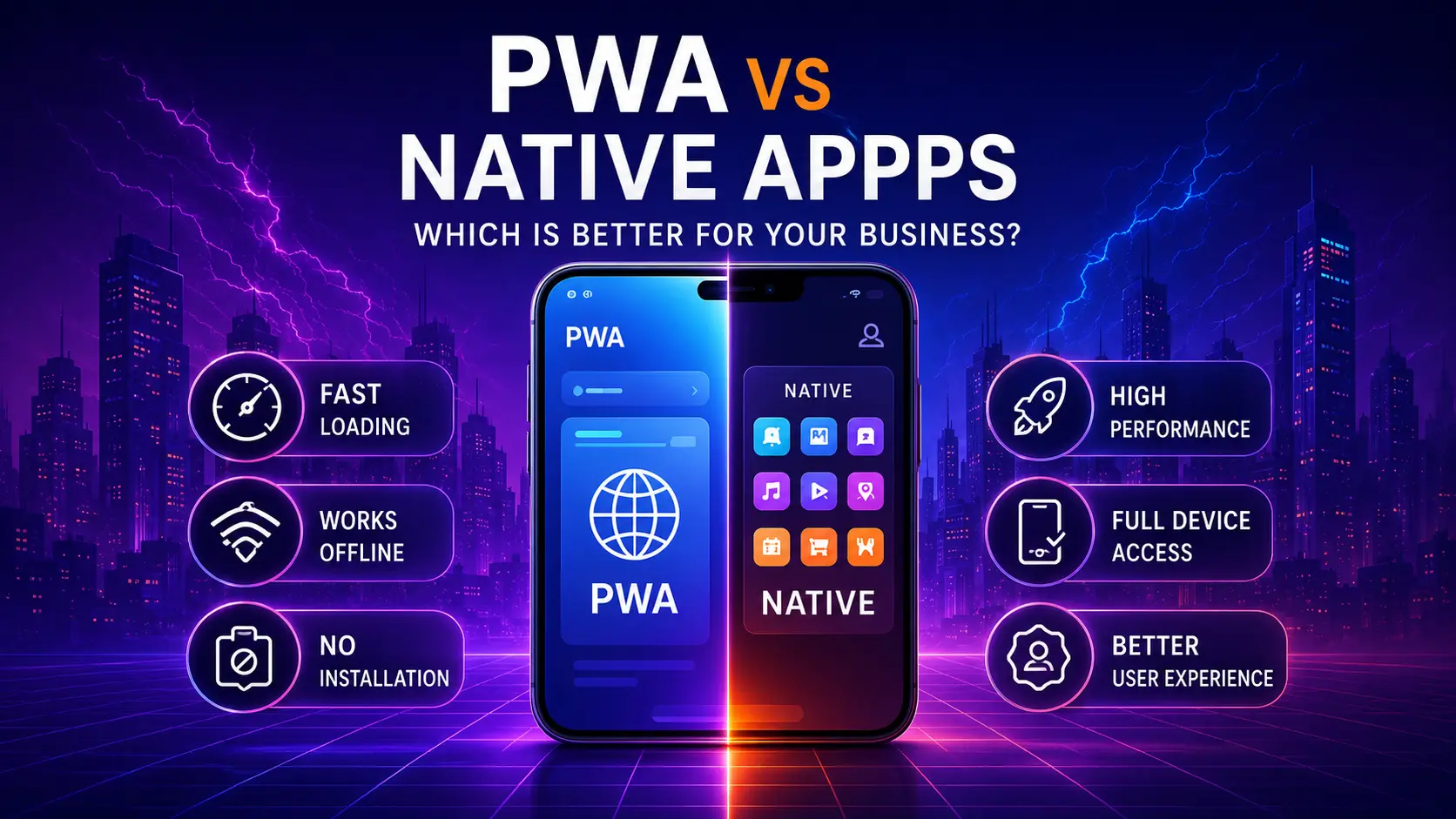
PWA vs Native App: Quick Comparison
Reach and Access
A PWA is opened from a web link. Users can discover it through search, advertisements, email, social media or direct sharing. They can often try the product before deciding to install it.
A native app is generally installed from an app store. This provides a familiar distribution channel, but it adds a step before the user experiences the product.
Codebase and Development
A PWA can often serve mobile, tablet and desktop users through one responsive web application. Native development may require separate iOS and Android work, although cross-platform frameworks can share some code.
A single codebase can reduce duplicated effort, but architecture quality still matters. A poorly designed PWA can become difficult to maintain, just as a poorly designed native app can.
Performance
Native apps usually have an advantage for graphics-intensive, real-time or hardware-heavy workloads. PWAs can perform very well for dashboards, booking systems, e-commerce, education platforms, field tools, portals and content-driven applications when they are carefully engineered.
The correct question is not “Which technology is faster in theory?” It is “What level of performance does this user journey require on the target devices?”
Installation
PWAs can be installable on supported browsers and platforms. The experience varies by operating system and browser, so teams must test the target audience’s device mix.
Native apps use established app-store installation flows and can benefit from store discovery, ratings and update mechanisms.
Offline and Unstable Networks
PWAs can use service workers and caching strategies to provide offline access or graceful behavior under weak connectivity. Native apps can also support offline workflows, often with deeper control over local storage and background synchronization.
Offline support is not automatic in either model. It requires deliberate data, synchronization and conflict-resolution design.
Device Capabilities
Modern web applications can access an expanding set of capabilities, including notifications, files, clipboard functions and some connected hardware. Availability differs by browser and operating system.
Native apps usually offer the most complete access to sensors, background services, Bluetooth, advanced camera functions and platform-specific frameworks.
Search Visibility
A PWA is part of the web and can be indexed when built with crawlable content and sound SEO architecture. This is valuable for products that acquire users through informational, local or commercial search.
Content inside a native app is not automatically discoverable through standard web search. Most native products still need a separate website or landing-page strategy.
Updates
A PWA can deploy many updates through the web without waiting for users to download a new store version. Native apps normally use app-store release processes, although some content and server-driven configuration can change independently.
Monetization and Store Presence
Native apps fit established app-store purchasing and subscription ecosystems. PWAs can use web-based payment flows, which may provide more flexibility but require their own acquisition and trust strategy.
When a PWA Is the Better Choice
A PWA is often appropriate when the business needs broad access, fast iteration and a unified web presence.
Strong PWA use cases include:
E-Commerce and Product Catalogs
A PWA can combine searchable product pages with app-like navigation, saved carts, notifications and repeat-user features.
Booking and Service Platforms
Customers can open a link, check availability and make a booking without installing a large application first.
Customer and Employee Portals
Dashboards, account areas, learning platforms and internal tools often work well across desktop and mobile browsers.
Field Data Collection
A carefully designed PWA can support forms, cached assets and synchronization for teams working under inconsistent connectivity, depending on required hardware access.
MVP and Product Validation
When the business is still validating demand, a PWA can provide one product across platforms and allow faster experimentation. It can later evolve into native applications if the product requires deeper device integration.
When a Native App Is the Better Choice
Choose native development when the product depends on platform-specific strengths.
Examples include:
- Advanced camera or media processing
- Intensive gaming or 3D graphics
- Continuous background tracking
- Complex Bluetooth or device integrations
- High-frequency real-time interactions
- Platform-specific accessibility or interface requirements
- Consumer products where app-store presence is central to acquisition
Native development may also be justified when usage is frequent enough that installation friction is less important than deep integration and performance.
When a Hybrid Strategy Makes Sense
The choice is not always exclusive. A business can use:
- A public SEO-focused website for acquisition
- A PWA for the core cross-device product
- Native wrappers or companion apps for specific capabilities
- A shared backend and design system across channels
A phased strategy can reduce risk. Start with a responsive web product, validate workflows, then invest in native features only when evidence supports the need.
Cost and Maintenance Considerations
Project cost depends on scope, integrations, design quality, testing, security and team structure. However, the delivery model affects where effort is spent.
A PWA may reduce duplication across mobile and desktop, but it still requires browser testing, responsive design, service-worker management and performance engineering.
Native apps may require parallel platform work, app-store management and broader device testing. Cross-platform frameworks can reduce duplication but introduce their own architectural decisions.
Budget for the full lifecycle:
- Product discovery
- UX and interface design
- Frontend development
- Backend and API development
- Authentication and security
- Offline behavior
- Testing and quality assurance
- Analytics and monitoring
- Store or deployment management
- Ongoing maintenance
The cheapest initial build is not always the lowest-cost long-term product.
A Decision Framework for Business Owners
Answer these questions before selecting technology.
1. How Will Users Discover the Product?
If search, shared links and content marketing are important, a web-first model is powerful. If users already expect to search an app store, native may be more suitable.
2. Which Device Features Are Essential?
Create a list of required capabilities. Separate “must have” from “nice to have.” Confirm actual browser support rather than relying on assumptions.
3. How Frequently Will Users Return?
A daily-use product may justify an installed native experience. An occasional service transaction should minimize installation friction.
4. Does the Product Need Offline Operation?
Define exactly what must work offline, how much data is stored and how synchronization conflicts are handled.
5. What Is the Team’s Long-Term Capability?
Choose an architecture the team can maintain. A product is not successful if every update requires unavailable specialist skills.
6. Is App-Store Distribution Strategically Important?
Consider trust, discovery, reviews, payment policies and release processes. Store presence can be valuable, but it should solve a real acquisition or product need.
PWA Development Best Practices
A successful PWA should still be an excellent website before installation.
Priorities include:
- Responsive design across screen sizes
- Fast initial loading
- Accessible navigation and forms
- Secure HTTPS delivery
- Clear offline states
- A valid web app manifest
- Reliable service-worker updates
- Useful installation prompts
- Analytics for installed and browser usage
- Testing across target browsers and devices
Do not block useful content behind an installation request. Let users experience value first.
Native App Development Best Practices
Native projects should maintain parity where it matters while respecting platform conventions. Establish a shared product specification, backend API and analytics model. Test accessibility, low-end devices, network interruptions and upgrade paths.
Plan app-store review time and maintain privacy disclosures that accurately reflect data usage.
Common Decision Mistakes
Building Native Apps Only Because Competitors Have Them
Competitor presence does not prove customer demand. Analyze actual user behavior and product requirements.
Choosing a PWA Only to Reduce Cost
A PWA should be selected because it fits the experience, not as a shortcut. Complex offline workflows and integrations still require serious engineering.
Ignoring the Website
Even native-first products need high-quality landing pages, support content and acquisition funnels.
Assuming Feature Support Is Universal
Browser capabilities vary. Validate support for the target audience before committing to a critical feature.
Launching Without Analytics
Measure acquisition source, activation, installation, retention, task completion and errors. Technology decisions should be revisited using real product data.
Conclusion
A PWA is often the strongest choice for businesses that need broad reach, search visibility, rapid iteration and one cross-device experience. A native app is often stronger when the product requires advanced device access, maximum platform integration or intensive performance.
The correct decision begins with user needs, not technology preference. Define the core workflow, required capabilities and acquisition strategy, then choose the simplest architecture that can deliver a reliable long-term product.